Track What Is Where
Organize inventory by location, room, shelf, vehicle, job site, or storage zone.
Know what you have, where it is, when it moved, and when it is running low.
Keep inventory organized without stretching your small business budget. Standard starts at $20/month with barcode receiving, location tracking, stock transfers, and inventory history. Try CentriStock free for 14 days.
No credit card required. Cancel anytime.
Easy onboarding: Create your account, import a CSV, Excel, or QuickBooks inventory file, and start tracking stock.
File imports don’t require a QuickBooks connection. Automatic sync is available on Professional.
CentriStock is for teams that need to know which products, supplies, tools, parts, or consumables are on hand, deployed, moved, stored, or used. It is location inventory tracking first, not a sales system.
Organize inventory by location, room, shelf, vehicle, job site, or storage zone.
Create and print local barcodes, scan items during receiving, and keep a permanent activity trail.
Focused on inventory location tracking, so teams can get started without configuring sales, carrier, or purchasing workflows.
Real inventory screens for receiving stock, scanning barcodes, and assigning items to the right location from desktop or mobile.
Click or tap any screenshot to enlarge.
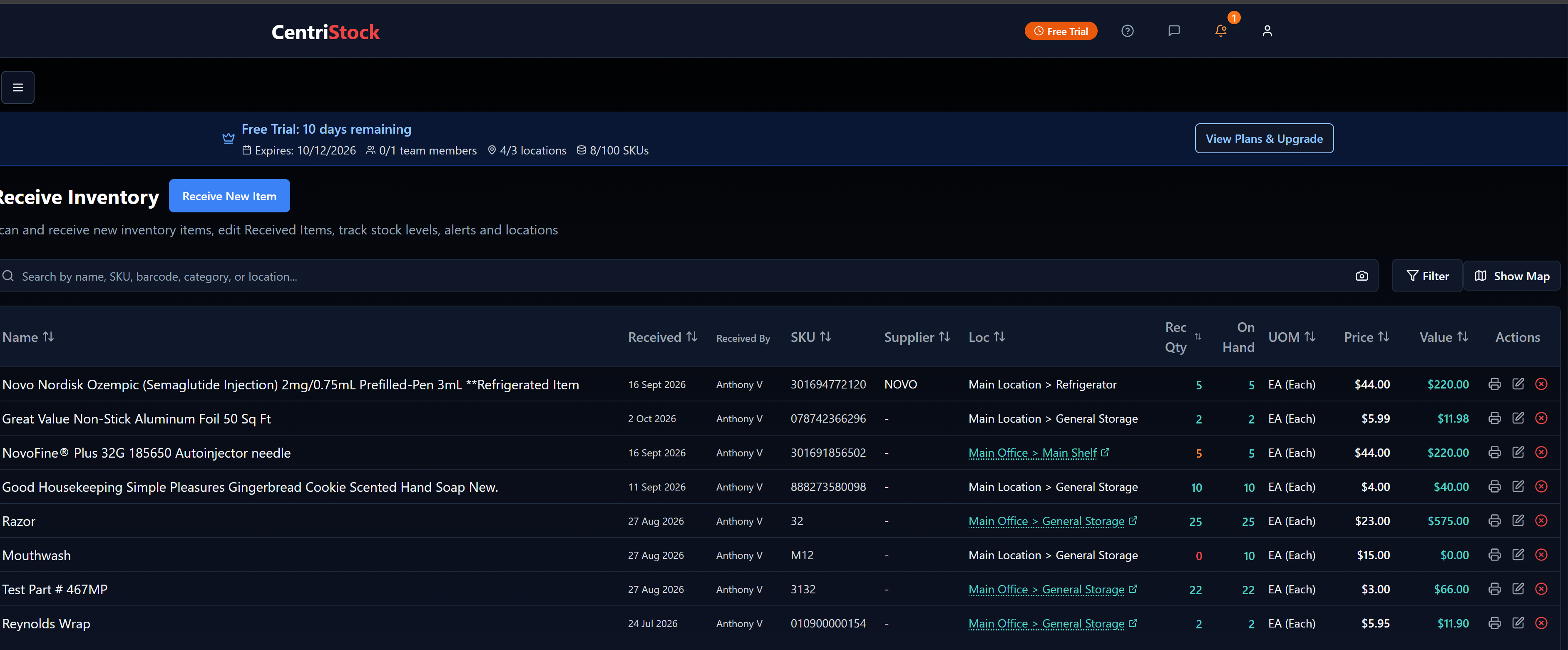
Track items, quantities, values, and locations from one inventory screen.
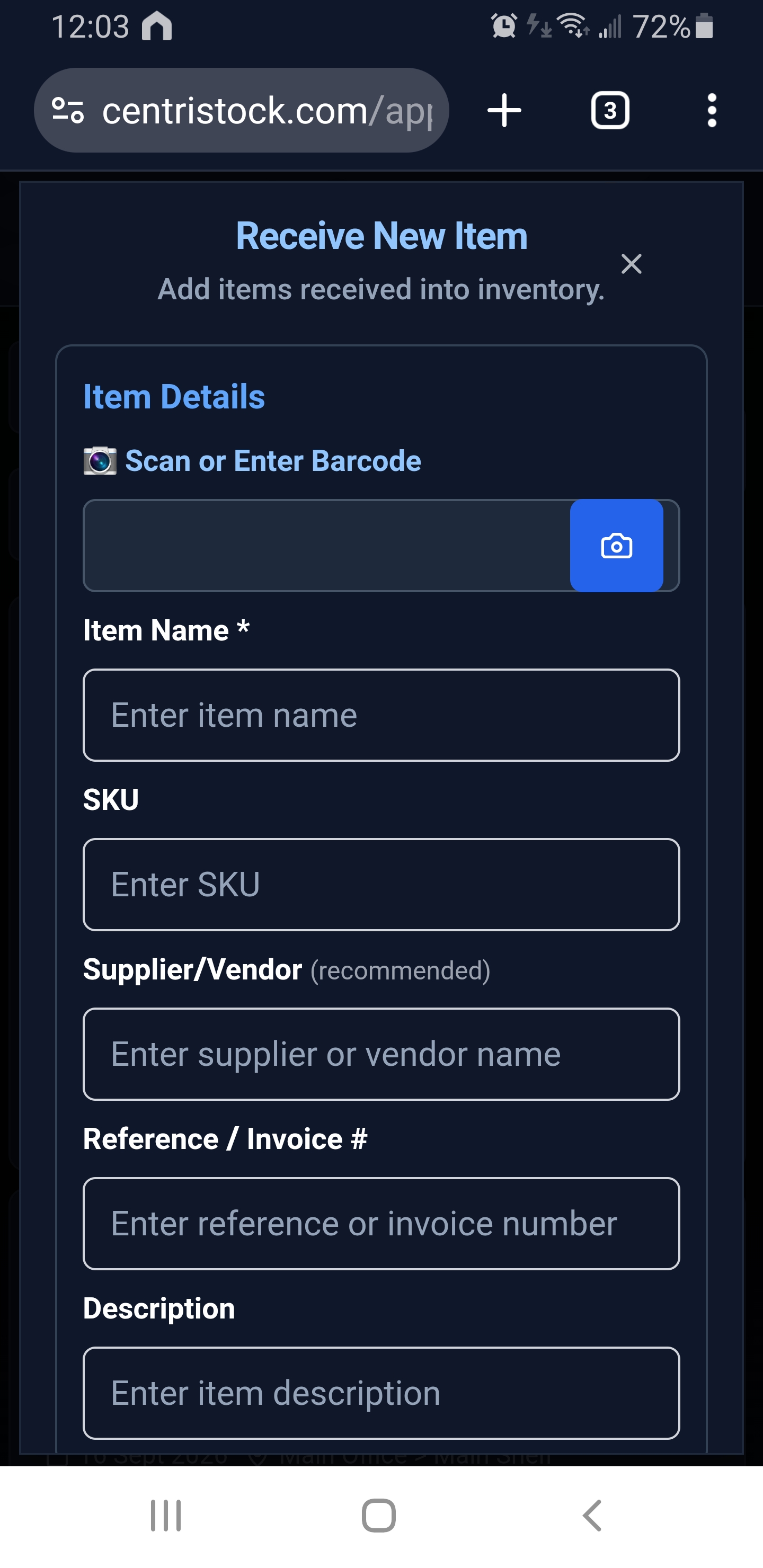
Scan or enter a barcode while receiving stock.
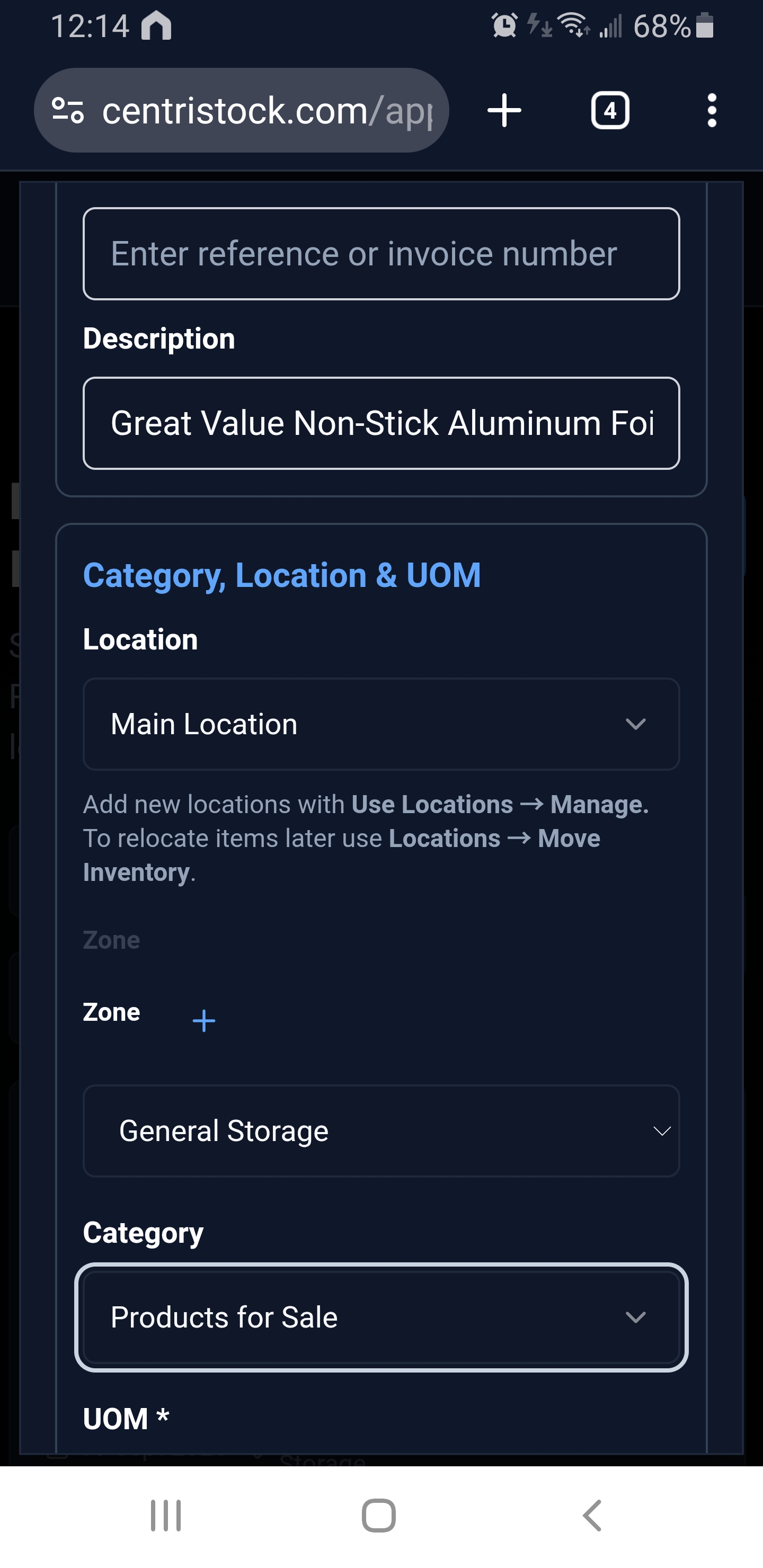
Choose location, zone, and category on mobile.
A practical system for small teams that need inventory control without buying a full ERP.
See current stock, item details, storage locations, and reorder needs from one shared system.
Scan UPCs, print internal barcodes, receive items faster, and reduce manual lookup time.
Know who received, moved, used, or adjusted inventory so your counts make sense later.
Scan a barcode, confirm item details, enter quantity, cost, supplier, and location.
Transfer stock between locations or record items as used, disposed, adjusted, or no longer on hand.
See stock across locations, rooms, stations, shelves, benches, trucks, or storage zones.
Receipts, transfers, usage, disposal, users, dates, and values remain in the transaction log.
Capture optional lot, batch, expiration, or serial-style details for items that need more context.
Professional teams can optionally connect QuickBooks Online when accounting sync becomes useful.
Start with your current items, then track every location change from one place.
Import items, create local barcodes, or scan barcodes while receiving stock.
Assign inventory to a location, room, shelf, vehicle, job site, or storage zone.
Transfer items, deploy them, consume them, or adjust counts as work happens.
See what changed, who changed it, where it went, and when it happened.
Start with a free trial, then choose the plan that matches your team size, locations, and SKU count. QuickBooks sync is optional on Professional.
14-day free trial
Perfect for small teams getting started
For growing teams that need more control
CentriStock's Standard plan costs $20/month for 3 team members, 5 locations, and 1,500 SKUs. Barcode workflows, stock transfers, and inventory history help your team replace spreadsheet tracking with one shared system. Start with a 14-day free trial to see how it fits your business.
CentriStock is simple inventory software for small businesses. It helps teams track what inventory is deployed where with barcode receiving, local barcode printing, locations, transfers, low-stock alerts, and history.
No. CentriStock can be used without QuickBooks. QuickBooks Online sync is available as an optional Professional feature.
Yes. CentriStock tracks inventory across rooms, shelves, storage areas, trucks, job sites, and business locations from one shared system.